/

Selected work

Workday: Scheduling for frontline teams

B2B SaaS · Web · Mobile

Workday: Scheduling for frontline teams

B2B SaaS · Web · Mobile

Role

Lead UX Designer

Role

Design, Engineering, Applied Science, Product

Role

Lead UX Designer

Timeline

3 months

Timeline

3 months

Timeline

3 months

Team

Product, Design, Engineering

Team

Product, Design, Engineering

Team

Product, Design, Engineering

Scope

Web, mobile; mentored 2 junior designers

Scope

Web, mobile; mentored 2 junior designers

Scope

Web, mobile; mentored 2 junior designers

Impact

Shipped MVP; adopted by P.F. Chang's across all U.S. locations; Workday Scheduling grew 193% YoY

Impact

Shipped MVP; adopted by P.F. Chang's across all U.S. locations; Workday Scheduling grew 193% YoY

Impact

Shipped MVP; adopted by P.F. Chang's across all U.S. locations; Workday Scheduling grew 193% YoY

Three apps to do one job: why mobile adoption fell short
Three apps to do one job: why mobile adoption fell short

Three apps to do one job: why mobile adoption fell short

Scheduling is just one step in a larger flywheel for workforce management. To redesign scheduling on mobile, the real value was closing the loop between time management and payroll. My design strategy focused on reducing friction across this entire flywheel.

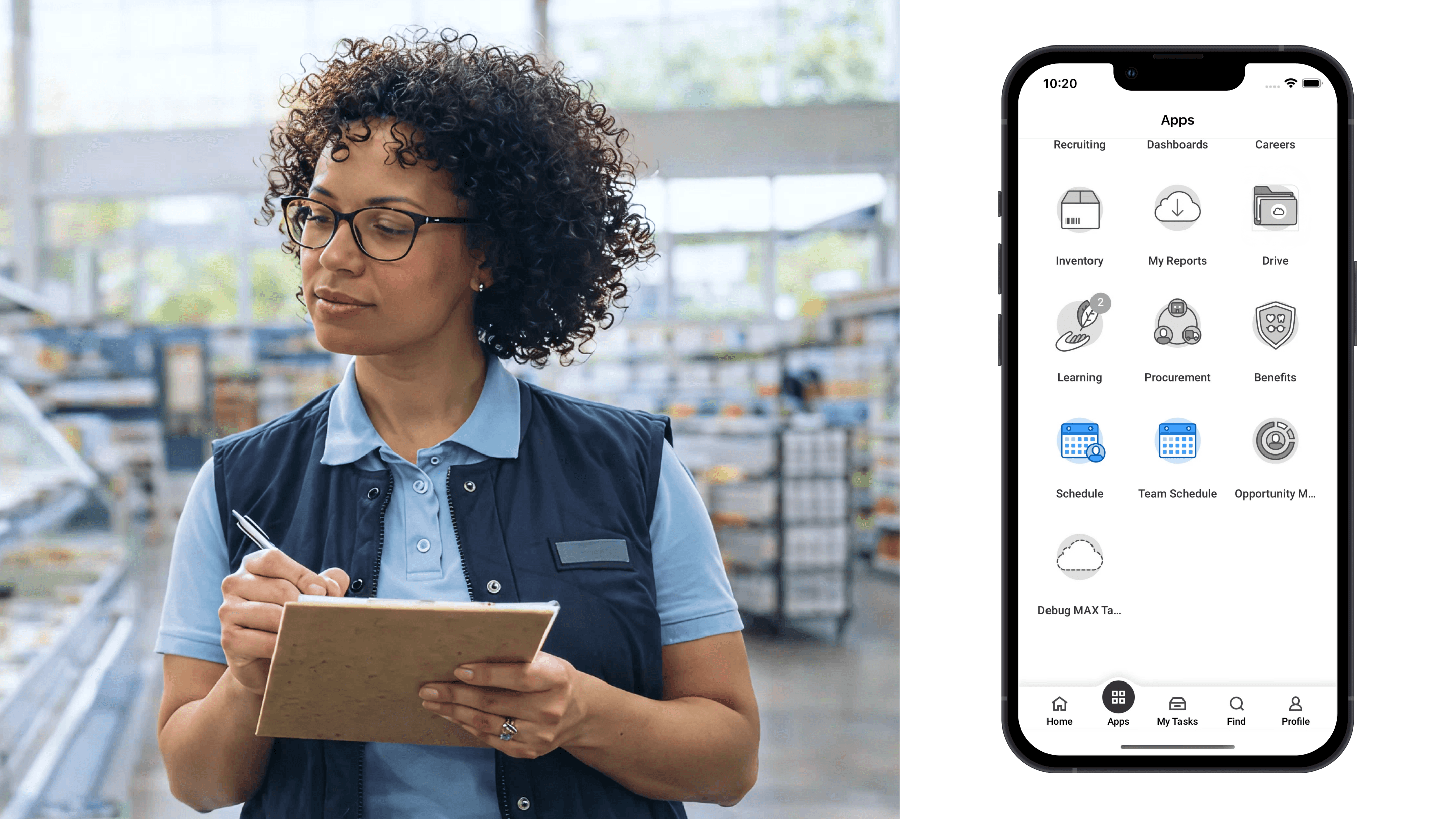
Customers bought Scheduling to replace spreadsheets. But every point of friction between scheduling, time tracking, and payroll was money leaking from that loop. In 2023, Workday was losing ground in the $15B frontline workforce management market. Customers bought web, but mobile adoption fell short. The root cause: frontline managers juggled three separate apps just to schedule workers, manage shifts, and track hours.

I led design for the Scheduling product across mobile and web, focused on connecting the two platforms to grow adoption in retail and hospitality.

Scheduling is just one step in a larger flywheel for workforce management. To redesign scheduling on mobile, the real value was closing the loop between time management and payroll. My design strategy focused on reducing friction across this entire flywheel.

Customers bought Scheduling to replace spreadsheets. But every point of friction between scheduling, time tracking, and payroll was money leaking from that loop. In 2023, Workday was losing ground in the $15B frontline workforce management market. Customers bought web, but mobile adoption fell short. The root cause: frontline managers juggled three separate apps just to schedule workers, manage shifts, and track hours.

I led design for the Scheduling product across mobile and web, focused on connecting the two platforms to grow adoption in retail and hospitality.

Scheduling is just one step in a larger flywheel for workforce management. To redesign scheduling on mobile, the real value was closing the loop between time management and payroll. My design strategy focused on reducing friction across this entire flywheel.

Customers bought Scheduling to replace spreadsheets. But every point of friction between scheduling, time tracking, and payroll was money leaking from that loop. In 2023, Workday was losing ground in the $15B frontline workforce management market. Customers bought web, but mobile adoption fell short. The root cause: frontline managers juggled three separate apps just to schedule workers, manage shifts, and track hours.

I led design for the Scheduling product across mobile and web, focused on connecting the two platforms to grow adoption in retail and hospitality.

Frontline managers juggled separate apps in Workday just to do one job.

Mapping frontline managers' jobs-to-be-done across a shift

Mapping frontline managers' jobs-to-be-done across a shift

Mapping frontline managers' jobs-to-be-done across a shift

I studied frontline managers' jobs-to-be-done through foundational research, customer interviews, and analysis of the role's core responsibilities. Then I mapped UI states to their key tasks throughout a shift.

One screen for self-management and team management

One screen for self-management and team management

One screen for self-management and team management

A unified home view that surfaces timely, relevant tasks using two components:

  • A personal schedule card for managing their own day.

  • A live coverage view for real-time team status.

Both on one screen. Managers switch between self-management and team management without app-hopping.
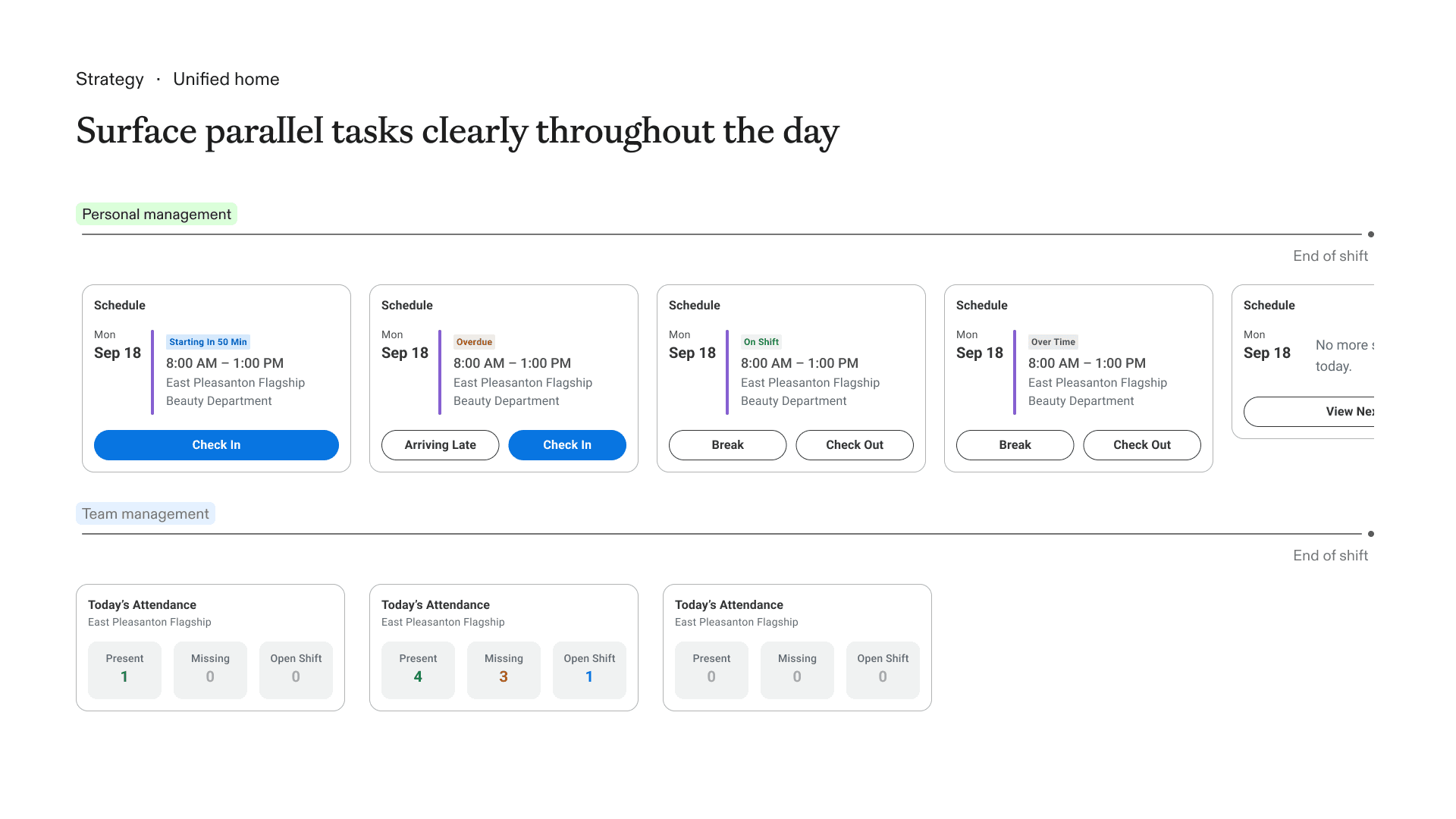
Cards reflect a manager's need in a shift, from check-in to end of day

A day in the life: one flow from check-in to close

A day in the life: one flow from check-in to close

A day in the life: one flow from check-in to close

The final design unifies workforce management into one flow that follows a frontline manager through their day: start informed, handle coverage in real time, and close with clean records. No manual data entry, no switching between systems.

Morning: Check in and get briefed

A manager arrives at the store and checks in with one tap. Their daily brief surfaces everything they need to prepare for the shift ahead.

Morning: Check in and get briefed

A manager arrives at the store and checks in with one tap. Their daily brief surfaces everything they need to prepare for the shift ahead.

Morning: Check in and get briefed

A manager arrives at the store and checks in with one tap. Their daily brief surfaces everything they need to prepare for the shift ahead.

Mid-shift: Monitor coverage and act fast

During the shift, attendance status is visible at a glance. If someone's late or missing, the manager can reach out or create a replacement shift in a few taps.

Mid-shift: Monitor coverage and act fast

During the shift, attendance status is visible at a glance. If someone's late or missing, the manager can reach out or create a replacement shift in a few taps.

Mid-shift: Monitor coverage and act fast

During the shift, attendance status is visible at a glance. If someone's late or missing, the manager can reach out or create a replacement shift in a few taps.

End of day: Close out clean

When the shift ends, the manager checks out, sees estimated pay immediately, and can leave notes for the next manager. Time data syncs directly to payroll.

End of day: Close out clean

When the shift ends, the manager checks out, sees estimated pay immediately, and can leave notes for the next manager. Time data syncs directly to payroll.

End of day: Close out clean

When the shift ends, the manager checks out, sees estimated pay immediately, and can leave notes for the next manager. Time data syncs directly to payroll.

P.F. Chang's nationwide adoption

P.F. Chang's nationwide adoption

P.F. Chang's nationwide adoption

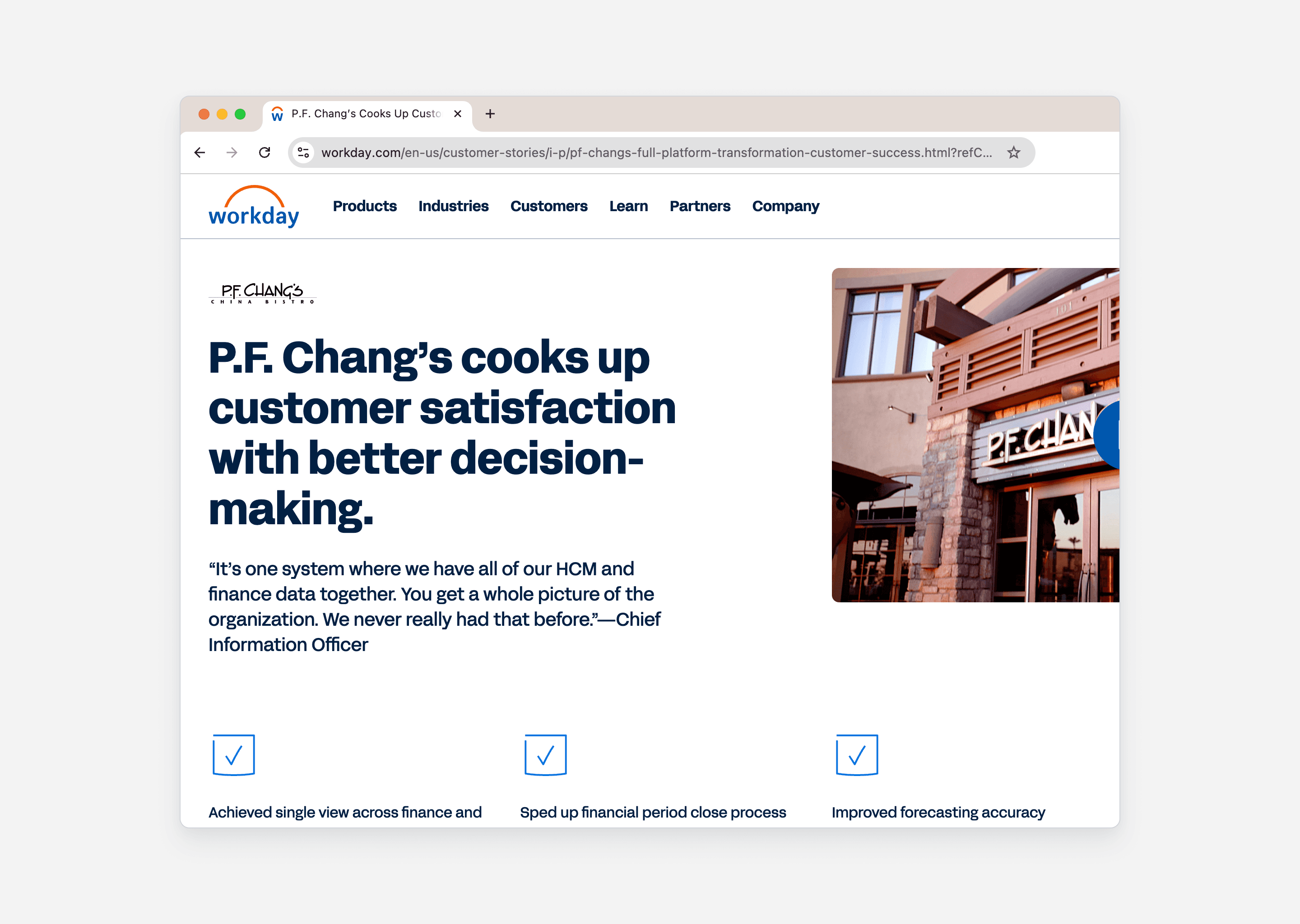
P.F. Chang's is Scheduling mobile's anchor customer. After months of co-creation, they adopted the scheduling solution across all U.S. locations after a successful pilot. Workday Scheduling grew 193% that year.

Frontline managers no longer switch between systems to check attendance, handle coverage gaps, or close out shifts.
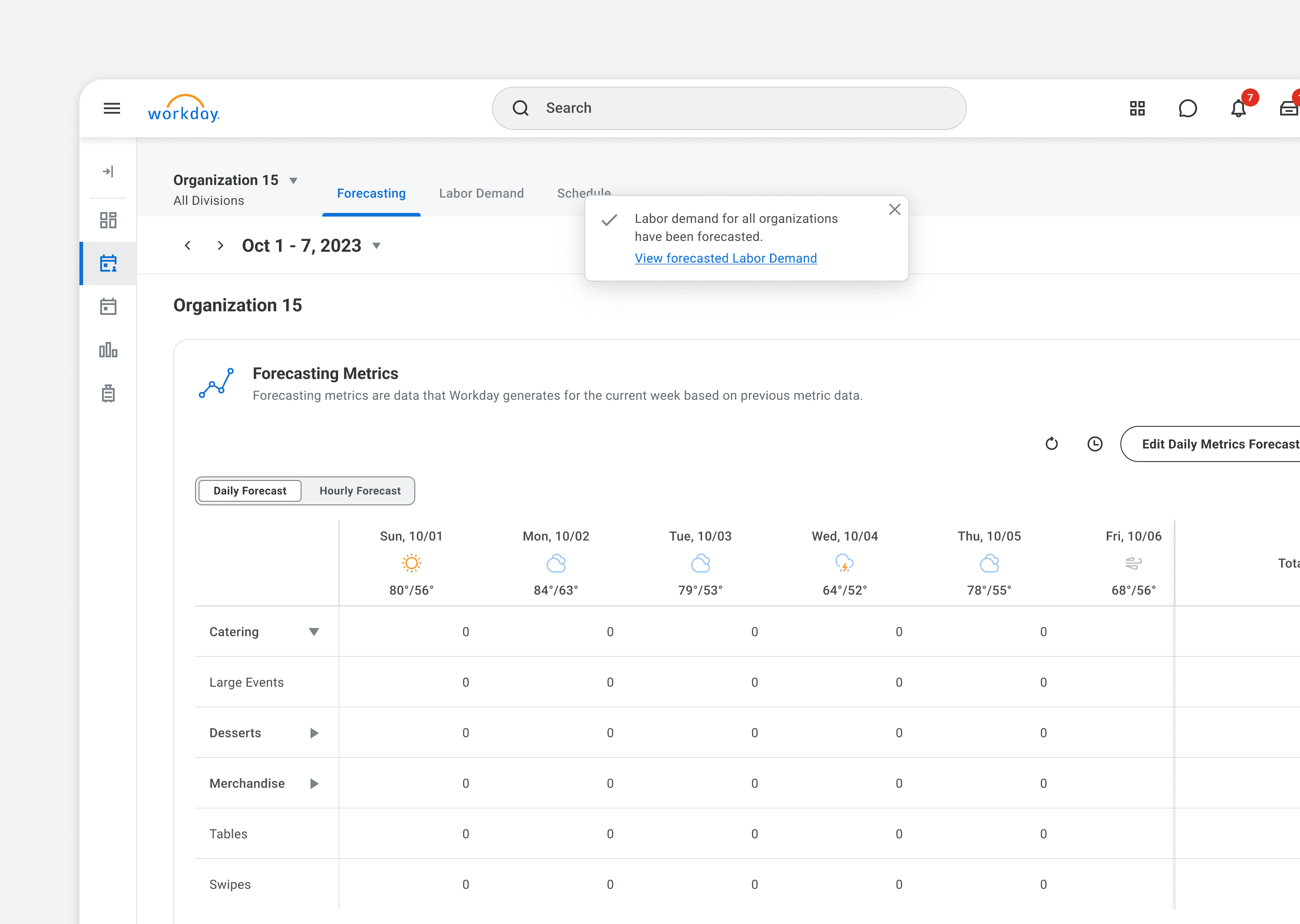
Web scheduling with ML-powered forecasting

Web scheduling with ML-powered forecasting

Web scheduling with ML-powered forecasting

I also led the web scheduling experience for senior managers and regional leaders. The product features an ML-powered forecasting workflow: managers review labor forecasts generated from historical data, adjust for local context, and auto-generate schedules.
Thanks for stopping by ㋡.

Minshuo Tang © 2026

Thanks for stopping by ㋡.

Minshuo Tang © 2026

Thanks for stopping by ㋡.

Minshuo Tang © 2026